Stop wrestling with spreadsheets and blank templates. Our free PO Generator builds you a structured, professional purchase order instantly — no account required.
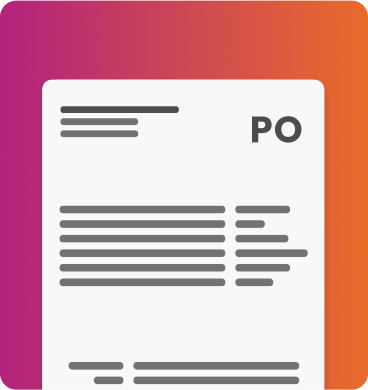
Zahara Lite is our free online platform that lets you create professional purchase orders instantly. No downloads needed—just register and start creating POs in minutes. Perfect for businesses that want to move beyond templates and enjoy features like automatic PO numbering, supplier management, and professional PDF generation.
Start with up to 5 purchase orders completely free, with no credit card required. Upgrade anytime as your needs grow.
No credit card required
Create up to 5 POs free
Purchase Orders (POs) are essential tools for businesses to manage their procurement process effectively. By using POs, companies can control costs, track expenses, and streamline their finance operations.
A Purchase Order is a legally binding document that outlines the details of a transaction between a buyer and a supplier. It includes information such as the quantity, description, price, and terms of the goods or services being purchased. By clearly stating these requirements, POs help to prevent misunderstandings and disputes with suppliers.
POs also play a crucial role in budget management. By issuing POs before making a purchase, companies can ensure they stay within their budget and only spend money on approved items. This helps to prevent overspending and keeps finances in check.
Furthermore, POs help to improve efficiency within the finance team. By having a standardised process for ordering goods and services, companies can reduce the risk of errors and delays in processing payments. This allows the finance team to focus on more strategic tasks and improve overall productivity.
Purchase Orders are a valuable tool for businesses looking to control costs, manage expenses, and improve efficiency in their finance operations. By implementing a PO system, companies can streamline their procurement process and ensure they get the best value for their money. You can customise our free purchase order templates for Word and Excel to suit your business. Certain elements are essential for a purchase order, regardless of your business type.
When you create a PO and send it to the supplier, they’ll soon deliver the goods or services you ordered. They’ll then send you an invoice for how much you owe, which can be matched to the original PO. You may also receive a delivery note or goods received note (GRN), which is the third element. This should arrive before the invoice, and it serves as recognition that you’ve received what you asked for. In this instance, your finance team may now be working with three sets of data to help you crosscheck- hence the term 3-way matching.
These days more and more companies are turning to automated software to handle the creation and distribution of purchase orders. Why? There are a number of reasons... Top of that list is for greater control around what your company spends.
If you’re a medium-to-large business with a lot of outgoings it can be difficult to keep accurate track of where your money is being spent. With an automated purchase order system, you’ll have greater control over who can raise purchase orders and which POs can be sent out. Problematic duplicate orders and even fraud can be eliminated. What you're essentially getting is better control over your bottom line.
On top of that everything that you leave to your employees, from raising purchase orders to submitting expense claims, is streamlined and simplified – as are the approval workflows that can redirect a task if something gets flagged or an employee is off sick.
The average consumer rarely interacts with firmware sites. However, A2zrom.com serves a specific demographic of users:
1. Reviving "Bricked" Devices A phone is considered "bricked" when it ceases to function due to a software corruption. This can happen during a failed update or rooting attempt. The Stock ROMs found on A2zrom allow technicians to re-write the system partition and bring the phone back to life.
2. Removing Bloatware and Viruses Budget devices sometimes come pre-installed with unnecessary apps. In worse scenarios, users might accidentally install malware that embeds itself deep in the system partition. A "Factory Reset" often fails to remove these deep-rooted issues. Flashing a Stock ROM via files from A2zrom provides a clean slate, wiping the system partition entirely.
3. Downgrading Updates Occasionally, a new Android update introduces bugs or battery drain. If a user prefers the older, more stable version, they can use firmware archives to downgrade their TCL device to a previous build—assuming the bootloader allows it.
While the site has helped some users, downloading firmware from an unverified third-party source like A2zrom.com introduces significant risks.
A2zrom.com provides firmware resources for TCL mobile devices, including original stock firmware (ROMs), flash tools, and USB drivers. These files are typically used for updating, downgrading, or fixing software issues like boot loops on TCL smartphones and tablets. 📱 TCL Firmware on A2zrom
The site hosts specific firmware packages that allow users to manage their device's operating system manually.
Stock ROMs: Flash files used to restore a device to its factory software state.
Flash Tools: Software required to "push" the firmware from a PC to the TCL device.
USB Drivers: Essential drivers to ensure your computer correctly recognizes the TCL hardware. 🛠️ Common Use Cases
System Recovery: Fixing "bricked" devices or those stuck on the logo. A2zrom.com Tcl
Updates/Downgrades: Manually moving to a different Android version if the over-the-air (OTA) update isn't available.
Unlocking: Assisting in removing screen locks or FRP (Factory Reset Protection) in some scenarios. ⚠️ Important Considerations
Risk: Flashing firmware can permanently damage your device if the wrong file is used.
Official Alternative: For official updates, TCL recommends using their Mobile Upgrade tool on a PC.
Safety: Only download firmware that matches your specific model number and region exactly to avoid hardware incompatibility.
If you are looking for a specific TCL model, tell me the model number (e.g., TCL 10L or TCL A2X) and I can help you find the correct steps or tools. AI responses may include mistakes. Learn more
A2zrom.com is a popular third-party resource used by technicians and DIY enthusiasts to find stock firmware (ROMs), flash tools, and USB drivers for mobile devices, including many TCL models. Why People Use A2zrom for TCL
While official updates are usually handled via FOTA (Firmware-Over-The-Air) through the device's settings, third-party sites like a2zrom.com are typically used for:
Recovering Brick Devices: If a phone is stuck in a boot loop or won't turn on, "flashing" a fresh copy of the stock ROM can often fix it.
Downgrading Software: Users sometimes seek older firmware versions to revert changes from a new update. The average consumer rarely interacts with firmware sites
Unlocking/Repairing: Technicians use these files to resolve software-related issues or remove certain locks. What is Available for TCL?
The site and its associated YouTube channel provide firmware and tools for various models, such as the TCL 20 SE and others. These downloads typically include:
Flash Files (Stock ROM): The actual operating system software for the device.
Flash Tools: Specialized software needed to transfer the firmware from a PC to the phone.
USB Drivers: Essential files that allow your computer to communicate with the TCL device in special modes like Fastboot or Download mode. Important Safety Warnings Flashing firmware carries significant risks:
Voiding Warranty: Modifying software through third-party tools typically voids your official warranty.
Risk of "Bricking": If the wrong file is used or the process is interrupted, the device could become permanently unusable.
Data Loss: Flashing a stock ROM usually wipes all personal data from the device. Always perform a full backup before starting.
For most users, it is safer to use the official TCL Mobile Upgrade tool or check for system updates directly in the Settings menu of the phone.
Guide to TCL Firmware Downloads on A2zrom.com A2zrom.com is a specialized online platform providing 100% original stock firmware, flash tools, and USB drivers for a wide range of mobile devices and smart TVs, including TCL products. Whether your TCL device is facing a boot loop, software lag, or an app crash, downloading the correct stock ROM from A2zrom.com can help restore it to factory settings. Key Resources on A2zrom.com A2zrom
The site hosts a significant database of files necessary for device recovery and updates:
Stock Firmware (Flash Files): Official software images used to reinstall the operating system.
Flash Tools: Software used on a PC to "flash" or write the firmware onto the device's storage.
USB Drivers: Necessary for a stable connection between your TCL device and your computer during the flashing process. How to Flash TCL Firmware
Depending on the device type (Smartphone or Smart TV), the installation methods vary: 1. TCL Smart TV (USB Method)
To update or repair a TCL TV, you typically use a FAT32-formatted USB drive:
The combination of A2zrom.com Tcl highlights a broader tension in the digital world. On one hand, sites like A2zrom.com are often criticized for contributing to software piracy. On the other hand, they serve as de facto digital archives for obsolete media—cartridges that degrade, discs that rot, and systems that die.
Tcl, as a scripting glue, is neutral. It can be used to:
TCL has established itself as a major player in the budget and mid-range smartphone market, offering solid hardware under its own brand and historically producing devices for Alcatel and BlackBerry. Because of the volume of devices produced, the demand for TCL firmware is high.
On A2zrom.com, TCL firmware is typically categorized to help users find the exact match for their specific model. This categorization is crucial because flashing the wrong file can permanently damage a device.
Common categories available for TCL devices include:
Tcl (pronounced "tickle" or "T-C-L") stands for Tool Command Language. Created by John Ousterhout in the late 1980s, Tcl is a dynamic, high-level, general-purpose programming language renowned for its simplicity and embeddability.