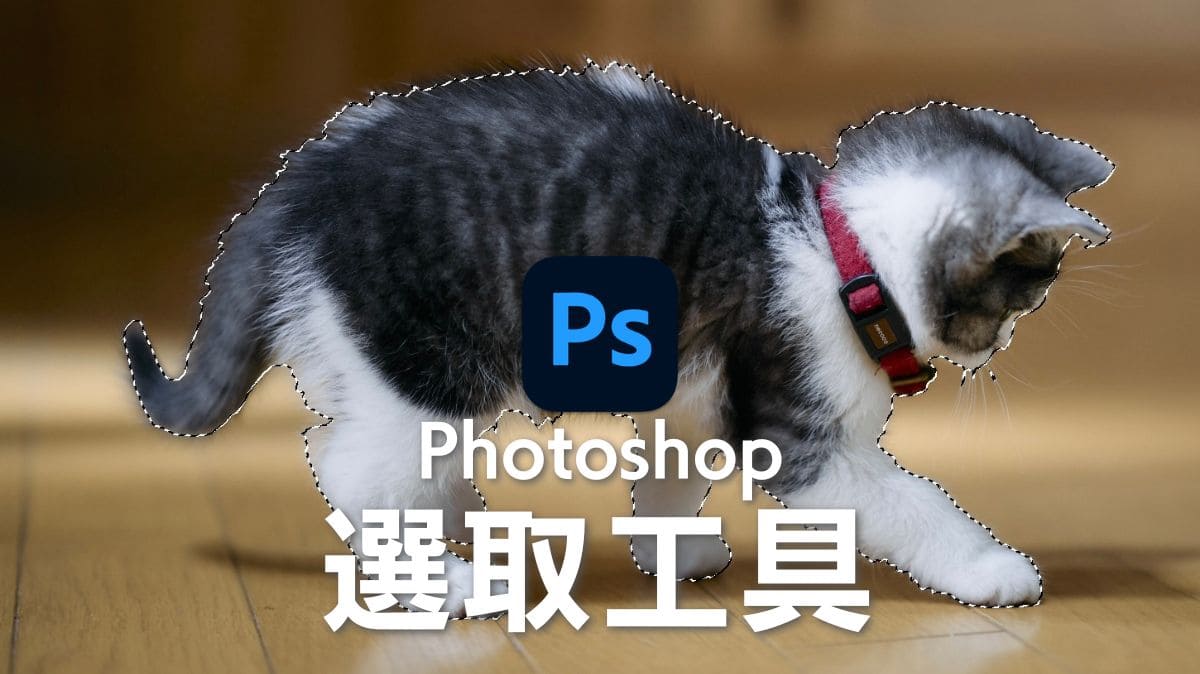
Photoshop移除物件 用AI瞬間刪除不要的人物或物件的3種方法[內容感知填色]
web
Masablog
Instead of risking your device with an "Exclusive" tool from a third-party site, use trusted community or official tools:
1. MTK Client (Official / Open Source Version) There is a legitimate, open-source project often referred to simply as "MTK Client" developed by bkerler.
2. SP Flash Tool (Smart Phone Flash Tool)
**3.
The MTK Client Tool v5.2 Exclusive is a powerful utility designed for MediaTek (MTK) Android devices, used for tasks such as FRP bypass, bootloader unlocking, and partition management. It leverages hardware-level exploits to communicate with devices in BROM (Boot ROM) or Preloader modes, allowing users to modify partitions that are normally restricted. Key Features
Authentication Bypass: Bypasses Secure Boot and DA (Download Agent) authentication (DAA/SLA) on supported chipsets.
Bootloader Management: Unlocks bootloaders on devices that lack official unlocking methods.
Data Recovery & Repair: Capable of backing up (rf) and restoring (wf) full flash storage to unbrick dead phones.
Security Removal: Erases screen locks (PIN, pattern, password) and removes Factory Reset Protection (FRP) without needing an authorized account. Prerequisites
Before using the tool, ensure your environment is properly set up:
Drivers: Install the MediaTek USB VCOM drivers and the Usbdk driver (USB Development Kit) to allow the tool to take exclusive control of the USB port.
Python: For script-based versions, Python 3.8 or higher is required along with specific libraries.
Device Connection: Devices must typically be powered off and connected while holding Volume Up + Power or Volume Down + Power to enter BROM mode. Usage Guide Installation: Download the MTK Client Tool zip file (often around 56 MB). Extract the contents to a dedicated folder on your PC.
If a password is required for the archive, it is often provided on the hosting site or specific tutorials. Launching the Tool:
Open the extracted folder and run the main application file (e.g., MTK_Universal_Tool.exe) or the Python GUI script. Connecting the Device: Power off your MediaTek device completely.
Hold the boot key (usually Volume Up or Down) and plug in the USB cable.
The tool should display "Device detected" once it successfully triggers the exploit. Common Commands (Command Line): Backup Flash: python mtk rf flash.img Unlock Bootloader: python mtk da seccfg unlock Erase User Data: python mtk e userdata Supported Chipsets
The tool supports a wide range of MTK processors, including older protocol versions (v5) and newer v6 protocol chipsets like MT6781, MT6789, MT6855, and MT6895 (though these may require specific --loader files).
Warning: Using this tool carries risks. Modifying partitions or unlocking bootloaders can void warranties and potentially result in a permanent "hard brick" if used incorrectly. Always perform a full backup (rf) before making changes.
Unlock the Full Potential of Your MediaTek Device with MTK Client Tool V5.2 Exclusive
In the world of mobile technology, MediaTek (MTK) has emerged as a leading player, providing powerful and efficient chipsets for a wide range of devices. However, to fully harness the capabilities of these devices, users and developers require specialized tools that can interact with the device's hardware and software components. One such tool that has gained significant attention in recent times is the MTK Client Tool V5.2 Exclusive. In this article, we will delve into the features, benefits, and applications of this tool, as well as its potential to revolutionize the way we interact with MediaTek-powered devices.
What is MTK Client Tool V5.2 Exclusive?
The MTK Client Tool V5.2 Exclusive is a software application designed to facilitate communication between a computer and a MediaTek-based device. This tool is specifically crafted to provide users with a comprehensive set of features to manage, modify, and optimize their device's performance. The "exclusive" label suggests that this version of the tool offers unique features and capabilities not found in standard versions.
Key Features of MTK Client Tool V5.2 Exclusive
The MTK Client Tool V5.2 Exclusive boasts an impressive array of features that cater to both casual users and professional developers. Some of the key features include:
Benefits of Using MTK Client Tool V5.2 Exclusive
The MTK Client Tool V5.2 Exclusive offers several benefits to users and developers, including:
Applications of MTK Client Tool V5.2 Exclusive
The MTK Client Tool V5.2 Exclusive has a wide range of applications across various industries, including:
Conclusion
The MTK Client Tool V5.2 Exclusive is a powerful software application that unlocks the full potential of MediaTek-powered devices. With its comprehensive set of features, benefits, and applications, this tool has the potential to revolutionize the way we interact with mobile devices. Whether you're a developer, researcher, or simply a user looking to optimize your device's performance, the MTK Client Tool V5.2 Exclusive is an essential tool to have in your arsenal.
Where to Download MTK Client Tool V5.2 Exclusive?
As the tool is labeled as "exclusive," it's not widely available for public download. However, users can try searching for reputable sources, such as official MediaTek websites, developer forums, or trusted software repositories. Be cautious when downloading software from third-party sources, as they may bundle the tool with malware or other unwanted applications.
Future Developments and Updates
As the mobile technology landscape continues to evolve, we can expect the MTK Client Tool V5.2 Exclusive to receive updates and new features. MediaTek and third-party developers may release new versions of the tool, addressing emerging trends, such as 5G, artificial intelligence, and the Internet of Things (IoT).
Get Ready to Unlock the Full Potential of Your MediaTek Device
The MTK Client Tool V5.2 Exclusive is a game-changer for MediaTek-powered device users and developers. With its advanced features and capabilities, this tool has the potential to transform the way we interact with mobile devices. Stay ahead of the curve and explore the possibilities offered by this exclusive tool. Whether you're looking to optimize device performance, customize your device, or develop innovative applications, the MTK Client Tool V5.2 Exclusive is the key to unlocking the full potential of your MediaTek device.
utility designed for servicing MediaTek-based Android devices. While the official open-source project by Bjoern Kerler on GitHub
is currently at version 2.1.4 as of early 2026, third-party repackaged versions labeled as "V5.2" or "Exclusive" often include pre-bundled drivers, simplified graphical interfaces (GUIs), and specific loader files for newer chipsets. Key Features and Capabilities
This tool is used by advanced users and technicians to perform deep-level device modifications that standard tools cannot: Bootloader Unlocking
: Unlocks the bootloader on devices that lack official unlocking methods by exploiting SOC-level vulnerabilities. Partition Management
: Allows reading from and writing to specific device partitions (e.g., ) in BROM or Preloader mode. FRP & Password Removal
: Used to bypass Factory Reset Protection (FRP) and clear screen locks without a password. Device Unbricking
: Fixes bricked devices by flashing official firmware or individual partition images. Support for New Chipsets
: Includes loaders for modern MediaTek chips like MT6781, MT6789, and MT6855 using a new V6 protocol. Safety and Installation
Because "Exclusive" versions are often hosted on third-party sites rather than official repositories, users should exercise caution: Unofficial Distribution
: These versions do not come from official MediaTek channels and may contain modified scripts. Driver Requirements : On Windows, you must install the MTK USB Driver usbdk driver for the tool to detect the device in BROM mode. BROM Mode Entry
: Typically requires holding specific hardware buttons (usually Volume Up or Down) while connecting the device via USB. Alternative Sources
MTK Client Tool V5.2 Exclusive: The Ultimate MediaTek Repair Guide
The MTK Client Tool V5.2 Exclusive has emerged as a powerhouse for Android technicians and mobile enthusiasts. Whether you are dealing with a bricked device or need to bypass factory locks, this tool leverages deep-level hardware exploits to give you control over MediaTek-based smartphones. Key Features of MTK Client Tool V5.2
This "Exclusive" edition builds upon the robust MTKClient GitHub project, offering a user-friendly interface to complex Python-based commands.
BROM Mode Exploitation: Access the Boot ROM (BROM) mode to perform operations even if the device's software is completely corrupted.
One-Click Bootloader Unlock: Easily unlock bootloaders on devices that don't support standard fastboot commands.
Partition Management: Read, write, or erase specific partitions like boot, recovery, or userdata without needing a full firmware flash.
Authentication Bypass: Bypass Secure Boot and SLA/DAA authentication on newer MediaTek chipsets.
Factory Reset & FRP Removal: Wipe all user data and remove Factory Reset Protection (FRP) locks with a single click. Technical Specifications Requirement Compatible OS Windows 7, 8, 10, 11 (64-bit recommended) Chipset Support Universal MediaTek (MT67xx, MT68xx, etc.) Required Drivers MediaTek USB VCOM Drivers & USBDK File Size Approximately 56 MB How to Install and Use
Driver Setup: Download and install the MediaTek Universal Drivers and the USBDK driver to ensure your PC can communicate with the phone in BROM mode.
Extraction: Unzip the tool into a new folder on your desktop. If prompted for a password, check the source site (common passwords include MTK or the site URL).
Enter BROM Mode: Power off your device. Hold Volume Up + Power or Volume Down + Power while connecting it to your PC via USB. Once detected, release the buttons.
Run Operation: Select your desired task (e.g., "Unlock Bootloader" or "Format Data") and wait for the "Success" message. Why Use the Exclusive Version?
Unlike the standard MTK Flash Tool, the V5.2 Exclusive edition is designed for exploitation. It doesn't just flash firmware; it uses hardware-level vulnerabilities to bypass security restrictions that typically prevent repairs. This makes it essential for data recovery and fixing "hard-bricked" phones that won't turn on at all.
Disclaimer: Using these tools can permanently brick your device or void your warranty. Always back up your partitions before writing any data.
bkerler/mtkclient: Mediatek Flash and Repair Utility - GitHub
MTK Client Tool V5.2 Exclusive: Unlocking the Full Potential of Your MediaTek Device
The MTK Client Tool V5.2 Exclusive is a powerful software utility designed to help users unlock, flash, and configure MediaTek (MTK) based devices. This tool has gained popularity among Android enthusiasts, developers, and repair shops due to its comprehensive feature set and exclusive capabilities.
What is MTK Client Tool V5.2 Exclusive?
The MTK Client Tool V5.2 Exclusive is a Windows-based application that allows users to interact with MTK devices, including smartphones, tablets, and other gadgets. This tool provides a user-friendly interface to perform various operations, such as:
Key Features of MTK Client Tool V5.2 Exclusive
Benefits of Using MTK Client Tool V5.2 Exclusive
Conclusion
The MTK Client Tool V5.2 Exclusive is a powerful software utility that offers a wide range of features and capabilities for MTK-based devices. Its user-friendly interface, advanced flashing capabilities, and exclusive features make it an essential tool for Android enthusiasts, developers, and repair shops. Whether you're looking to unlock your device's full potential or simply need a reliable tool for repair and maintenance, the MTK Client Tool V5.2 Exclusive is definitely worth considering.
Please let me know if you'd like me to add anything else.
(I can also try and get more information if needed)
MTK Client Tool V5.2 is a specialized utility designed for MediaTek (MTK) system-on-chip (SoC) devices, primarily used for tasks like exploitation, reading and writing flash memory, and bypassing device security. It is often referred to as "exclusive" in community distributions that package the tool with specific drivers or pre-configured scripts for easier access. Key Features and Functions
Partition Management: The tool allows users to read from (rf) and write to (wf) any partition on the device, enabling full backups and restores.
Bootloader Unlocking: It can unlock the bootloader on devices that lack an official unlocking method or do not support standard commands like fastboot.
Exploitation and Bypass: It utilizes exploits within the SoC itself to bypass security protocols like Auth and DAA, allowing access even when the device is locked.
Mode Support: It functions primarily through two native MediaTek modes: Preloader and Boot ROM (BROM). Technical Requirements
Operating Systems: Compatible with Windows (requires MTK drivers and the usbdk driver) and Linux (may require a patched kernel for older exploits like kamakiri).
Drivers: Success relies on the MTK USB All Driver to ensure the computer detects the device in BROM or Preloader modes.
Execution: Often run via Python scripts (e.g., python mtk rf image.img) or through community-built Windows installers that bundle necessary dependencies. Security and Safety Warnings
Brick Risk: Writing to partitions or bypassing protections carries a high risk of "bricking" the device (making it unusable). It is strongly recommended to back up partitions immediately upon gaining access.
Passwords: Some "exclusive" community versions distributed as compressed files may require a password for extraction, which is typically found on the source website or video tutorial. Mtk Client Tool V5 2 !EXCLUSIVE! - Google Docs 🎁 Mtk Client Tool V5 2 ! EXCLUSIVE! - Google Drive. Google Docs Mtk Client Tool V5 2 !EXCLUSIVE! - Google Docs 🎁 Mtk Client Tool V5 2 ! EXCLUSIVE! - Google Drive. Google Docs
How to install MTK Client Tool. A Best MediaTek All in One Tool.
MTK Client Tool v5.2 is a specialized utility designed for servicing Android devices equipped with MediaTek (MTK) chipsets. It is widely recognized in the technician community for its ability to perform advanced operations in a single click without requiring paid credits or hardware dongles. Core Features of MTK Client Tool v5.2 One-Click FRP Bypass:
Removes Google Factory Reset Protection (FRP) locks from supported MediaTek devices with a single action. Factory Reset / Screen Lock Removal:
Resets devices to factory settings, effectively removing PINs, patterns, and passwords. Auth Bypass:
Disables SLA/DAA (Serial Link Authentication) to allow communication with the device's BootROM (BROM) mode without official authentication. Partition Management:
Allows for backing up and restoring critical partitions such as
, which are essential for maintaining IMEI and network connectivity. Bootloader Actions:
Supports unlocking or relocking the bootloader on specific compatible models. Broad Device Support: Specifically optimized for brands including Infinix, Tecno, Samsung, Oppo, and Huawei that use MediaTek SoCs. Operational Highlights Offline Functionality:
The software does not require an active internet connection to perform its tasks. No Credits Required:
Unlike many professional GSM tools, v5.2 is released as a free tool that does not necessitate activation fees or per-use credits. Connection Mode: Requires the device to be in
(typically achieved by holding Volume Up + Power or Volume Down + Power while connecting via USB).
Since this tool is distributed through third-party channels and not via an official MediaTek site
, it is recommended to use it with caution and maintain backups of your device's data specific driver installation steps required to get the tool to recognize your device?
Unlocking Potential: A Deep Dive into MTK Client Tool v5.2 Exclusive
If you work with MediaTek-based smartphones, you know that managing partitions and bypassing security can often feel like a digital maze. MTK Client Tool v5.2 Exclusive
has emerged as a powerful, free solution for technicians and hobbyists looking to streamline device repair and maintenance. What is MTK Client Tool? At its core, MTK Client Tool
is a specialized flashing and repair utility designed specifically for devices using MediaTek System-on-Chips (SoCs). By leveraging hardware-level exploits, it allows users to bypass common security hurdles that would otherwise require paid services or complex authorized accounts. Key Features of Version 5.2
The "Exclusive" v5.2 update brings several one-click solutions to the table, making it one of the most accessible versions for general users: One-Click FRP Bypass
: Easily remove Google Factory Reset Protection (FRP) on major brands including Factory Reset / Format
: Reset devices to original factory settings with a single click. No Credits Required : Unlike many industry tools, this version is
and requires no credits, activation fees, or online authorization. Offline Functionality
: The tool operates without an internet connection once installed, ensuring privacy and reliability in various environments. Broad SoC Support
: Supports a wide range of MediaTek processors, including newer chips with DAA/SLA protection (such as MT6781, MT6789, and MT6855) as well as older v5 protocol processors. Why Use MTK Client Tool?
Beyond just bypassing locks, the tool is a comprehensive partition manager. Users can: Unlock Bootloaders
: Gain deep access to devices that lack official unlocking methods. Read/Write Partitions
: Safely back up or modify specific firmware partitions that are typically inaccessible through standard flashing. Repair Bricked Devices : Flash necessary files directly to the Preloader Mode to revive non-responsive phones. How to Get Started Preparation
: You will need a Windows PC and the appropriate MTK USB drivers and
filters to ensure your computer recognizes the device in BROM mode. Installation
: Download and extract the tool. Many versions are shared via community hubs or GitHub repositories
: Typically, you connect the phone while holding specific volume buttons (Vol Up + Power or Vol Down + Power) to trigger the correct boot mode for the tool to detect it. Important Safety Note
MTK Client Tool V5.2 Exclusive: The Ultimate Guide to MediaTek Device Unlocking
If you’ve ever dealt with a locked MediaTek (MTK) smartphone, you know how frustrating it can be to bypass security patterns, FRP (Factory Reset Protection), or authentication requirements. The MTK Client Tool V5.2 Exclusive has emerged as a powerhouse in the mobile servicing community, offering a streamlined way to handle these issues without needing expensive hardware boxes.
Here is everything you need to know about the latest V5.2 exclusive update. What is MTK Client Tool V5.2?
MTK Client Tool V5.2 is a specialized Windows utility designed for devices running on MediaTek chipsets. It leverages the "BROM" (Boot Room) exploit, allowing the software to communicate with the phone’s processor before the operating system even boots up. This gives you deep-level access to the device's partitions. Key Features of the V5.2 Exclusive Version
The "Exclusive" tag on V5.2 refers to several optimized scripts and expanded loader support that weren't available in previous builds.
Auth Bypass (No DA Required): One of the biggest hurdles in MTK servicing is the Secure Boot/Authentication. V5.2 includes an updated library to disable this security, allowing you to flash or format without a specialized Download Agent (DA) file.
One-Click FRP Removal: Easily bypass the Google Account Lock (FRP) on the latest Android versions.
Bootloader Unlocking/Relocking: For developers and root enthusiasts, this tool allows you to unlock the bootloader instantly, which is usually the first step for installing custom ROMs.
Format/Factory Reset: If a device is stuck on a pattern or PIN, the "Safe Format" option attempts to clear the lock without deleting your photos and videos (on supported models).
NVRAM Backup & Restore: Crucial for fixing "Invalid IMEI" or network issues by backing up the critical radio frequency data. Supported CPU Architectures
The V5.2 update has improved stability for the following chipsets: MT6735, MT6737, MT6739 (Entry-level) MT6761, MT6763, MT6765 (Helio A/P Series) MT6768, MT6771, MT6785 (Helio G Series)
MT6833, MT6853, MT6877 (Dimensity Series - newer support added in V5.2) How to Use MTK Client Tool V5.2
Using the tool is straightforward, but it requires precision. Follow these steps:
Install Drivers: Ensure you have the LibUSB-Win32 and MTK USB Drivers installed. This is the most common point of failure.
Launch the Tool: Run the MTK Client Tool as an Administrator.
Select Action: Choose your desired operation (e.g., Erase FRP or Unlock Bootloader).
The "Boot" Key Trick: Power off your device. Hold the Volume Up + Volume Down buttons simultaneously and connect the USB cable.
Execution: The tool will detect the device in BROM mode, bypass the authentication, and execute the task in seconds. Safety First: A Quick Disclaimer
While MTK Client Tool V5.2 is incredibly efficient, working with system partitions carries risks. Always Backup your NVRAM/NVDATA before performing any format or flash operations to ensure you don't lose your device's unique identity (IMEI). Conclusion
The MTK Client Tool V5.2 Exclusive is a must-have for anyone looking to repair or customize MediaTek-based smartphones. By combining a user-friendly interface with powerful BROM-level exploits, it turns complex technical repairs into a simple one-click process.
The "MTK Client Tool v5.2 Exclusive" is a popular all-in-one utility designed for MediaTek (MTK) Android devices, primarily used for tasks like FRP bypass, factory resets, and flashing firmware. While highly effective for repair and exploitation, reviews highlight a mix of powerful capabilities and significant security risks. Key Features and Performance
The tool is widely praised for its versatility in handling MediaTek chipsets.
Comprehensive Utility: It functions as a "best-in-class" all-in-one tool for exploitation, including reading and writing flash memory.
Broad Device Support: Version 5.2 and similar releases can bypass lock screens and Google Factory Reset Protection (FRP) on a wide range of MTK devices.
Ease of Use: It is noted for being lightweight and relatively simple for those familiar with flashing tools.
V6 Protocol Support: Newer versions include support for the V6 protocol used by modern chipsets like MT6895 and MT6983, allowing operation in preloader mode when bootrom is patched. Performance and Security Considerations
Despite its utility, users and reviewers offer several warnings:
Safety Risks: Downloading "exclusive" versions often involves unofficial sources, which can be risky and may trigger antivirus warnings.
Technical Difficulty: It is not considered beginner-friendly. For example, Windows users must manually install specific drivers like the stock MTK port and usbdk to make it work.
Reliability Issues: The tool may fail on newer security updates. Some users have reported issues like "dm-verity" warnings or devices getting stuck after use. Community Feedback
User experiences vary, often depending on the specific device and the source of the tool download.
“I'm still working it out, but you can enter mtkclient and brom mode on A14 5G regardless of it being OEM or carrier... remember to backup your partitions once you're in, or you risk a brick after writing to flash.” Reddit · r/androidroot · 1 year ago
“The tool can bypass FRP and lock screens on many MTK devices and has wide device support. It is simple and lightweight. However, downloading it can be unofficial and risky.” YouTube · MobiKin
Here are several exclusive feature ideas for MTK Client Tool v5.2, focusing on advanced low-level access, security, automation, and unique utility not found in standard v5.1 or generic tools.
The MTK Client Tool v5.2 Exclusive is a specialized utility designed for MediaTek (MTK) Android devices, primarily used for advanced operations like flashing firmware, bypassing FRP (Factory Reset Protection), and unlocking bootloaders. It is often distributed as an "all-in-one" solution for repair technicians and power users. Key Features and Capabilities
Device Exploitation: Uses vulnerabilities in MediaTek SOCs to edit partitions that are usually restricted.
Dual Mode Support: Operates through BROM (Boot ROM) Mode and Preloader Mode, allowing access even when standard interfaces like fastboot are unavailable.
Flashing & Repair: Supports reading and writing flash memory, which is essential for unbricking devices or changing firmware.
Security Bypasses: Frequently used for bypassing Google’s FRP lock and factory resetting devices without the original credentials.
V6 Protocol Support: Includes capabilities for newer chipsets (e.g., MT6781, MT6895) that use the V6 protocol and patched bootroms, requiring specific loaders. User Experience and Considerations
Complexity: The tool is technically demanding. Users on Reddit have noted that while it can bypass protections, it may lead to warnings like "dm-verify" or even brick the device if partition backups are not made beforehand.
Driver Requirements: Proper installation requires specific drivers, such as the stock MTK port and usbdk for Windows users, to ensure the device is correctly detected.
Security Risks: As an "exclusive" tool often shared via unofficial links or Google Drive, it carries a high risk of malware. It is generally safer to use the open-source MTKClient GitHub repository managed by Bjoern Kerler. Summary Table: MTK Client Tool vs. Official Repo MTK Client Tool v5.2 (Third-Party) MTKClient (Official GitHub) Interface Often features a GUI for ease of use Primarily command-line based Trust Level Low; often contains ads or unknown code High; open-source and community-vetted Core Functions FRP bypass, flashing, unlocking Full partition manipulation, exploits
If you choose to proceed with this tool despite the risks, the process typically follows these steps:
| Scenario | How v5.2 Exclusive Helps | |----------|----------------------------| | Dead boot after OTA | Force brom mode + flash preloader + da | | Locked bootloader, need root | Inject Magisk via preloader (no unlock) | | Lost IMEI after flash | Rebuild from nvram backup or generate valid IMEI | | eMMC corruption | Low-level format + rewrite partition table | | Service center bulk flashing | Script 200 phones with JSON + multi-device tabs |
Most MTK tools require the device to be in BROM mode:
MediaTek devices use a specific processor architecture. Tools like "MTK Client," "SP Flash Tool," or "MCT" interact with the device's BROM (Boot ROM) mode to bypass the operating system and flash files directly to the memory.
Common Functions of these tools:
Launch the Tool:
Load Scatter File:
Select Operation:
Execute:
Here is what you can accomplish with the MTK Client Tool v5.2 Exclusive:
Instead of risking your device with an "Exclusive" tool from a third-party site, use trusted community or official tools:
1. MTK Client (Official / Open Source Version) There is a legitimate, open-source project often referred to simply as "MTK Client" developed by bkerler.
2. SP Flash Tool (Smart Phone Flash Tool)
**3.
The MTK Client Tool v5.2 Exclusive is a powerful utility designed for MediaTek (MTK) Android devices, used for tasks such as FRP bypass, bootloader unlocking, and partition management. It leverages hardware-level exploits to communicate with devices in BROM (Boot ROM) or Preloader modes, allowing users to modify partitions that are normally restricted. Key Features
Authentication Bypass: Bypasses Secure Boot and DA (Download Agent) authentication (DAA/SLA) on supported chipsets.
Bootloader Management: Unlocks bootloaders on devices that lack official unlocking methods.
Data Recovery & Repair: Capable of backing up (rf) and restoring (wf) full flash storage to unbrick dead phones.
Security Removal: Erases screen locks (PIN, pattern, password) and removes Factory Reset Protection (FRP) without needing an authorized account. Prerequisites
Before using the tool, ensure your environment is properly set up:
Drivers: Install the MediaTek USB VCOM drivers and the Usbdk driver (USB Development Kit) to allow the tool to take exclusive control of the USB port.
Python: For script-based versions, Python 3.8 or higher is required along with specific libraries.
Device Connection: Devices must typically be powered off and connected while holding Volume Up + Power or Volume Down + Power to enter BROM mode. Usage Guide Installation: Download the MTK Client Tool zip file (often around 56 MB). Extract the contents to a dedicated folder on your PC.
If a password is required for the archive, it is often provided on the hosting site or specific tutorials. Launching the Tool:
Open the extracted folder and run the main application file (e.g., MTK_Universal_Tool.exe) or the Python GUI script. Connecting the Device: Power off your MediaTek device completely.
Hold the boot key (usually Volume Up or Down) and plug in the USB cable.
The tool should display "Device detected" once it successfully triggers the exploit. Common Commands (Command Line): Backup Flash: python mtk rf flash.img Unlock Bootloader: python mtk da seccfg unlock Erase User Data: python mtk e userdata Supported Chipsets
The tool supports a wide range of MTK processors, including older protocol versions (v5) and newer v6 protocol chipsets like MT6781, MT6789, MT6855, and MT6895 (though these may require specific --loader files).
Warning: Using this tool carries risks. Modifying partitions or unlocking bootloaders can void warranties and potentially result in a permanent "hard brick" if used incorrectly. Always perform a full backup (rf) before making changes.
Unlock the Full Potential of Your MediaTek Device with MTK Client Tool V5.2 Exclusive
In the world of mobile technology, MediaTek (MTK) has emerged as a leading player, providing powerful and efficient chipsets for a wide range of devices. However, to fully harness the capabilities of these devices, users and developers require specialized tools that can interact with the device's hardware and software components. One such tool that has gained significant attention in recent times is the MTK Client Tool V5.2 Exclusive. In this article, we will delve into the features, benefits, and applications of this tool, as well as its potential to revolutionize the way we interact with MediaTek-powered devices.
What is MTK Client Tool V5.2 Exclusive?
The MTK Client Tool V5.2 Exclusive is a software application designed to facilitate communication between a computer and a MediaTek-based device. This tool is specifically crafted to provide users with a comprehensive set of features to manage, modify, and optimize their device's performance. The "exclusive" label suggests that this version of the tool offers unique features and capabilities not found in standard versions.
Key Features of MTK Client Tool V5.2 Exclusive
The MTK Client Tool V5.2 Exclusive boasts an impressive array of features that cater to both casual users and professional developers. Some of the key features include:
Benefits of Using MTK Client Tool V5.2 Exclusive
The MTK Client Tool V5.2 Exclusive offers several benefits to users and developers, including:
Applications of MTK Client Tool V5.2 Exclusive
The MTK Client Tool V5.2 Exclusive has a wide range of applications across various industries, including:
Conclusion
The MTK Client Tool V5.2 Exclusive is a powerful software application that unlocks the full potential of MediaTek-powered devices. With its comprehensive set of features, benefits, and applications, this tool has the potential to revolutionize the way we interact with mobile devices. Whether you're a developer, researcher, or simply a user looking to optimize your device's performance, the MTK Client Tool V5.2 Exclusive is an essential tool to have in your arsenal.
Where to Download MTK Client Tool V5.2 Exclusive?
As the tool is labeled as "exclusive," it's not widely available for public download. However, users can try searching for reputable sources, such as official MediaTek websites, developer forums, or trusted software repositories. Be cautious when downloading software from third-party sources, as they may bundle the tool with malware or other unwanted applications.
Future Developments and Updates
As the mobile technology landscape continues to evolve, we can expect the MTK Client Tool V5.2 Exclusive to receive updates and new features. MediaTek and third-party developers may release new versions of the tool, addressing emerging trends, such as 5G, artificial intelligence, and the Internet of Things (IoT).
Get Ready to Unlock the Full Potential of Your MediaTek Device
The MTK Client Tool V5.2 Exclusive is a game-changer for MediaTek-powered device users and developers. With its advanced features and capabilities, this tool has the potential to transform the way we interact with mobile devices. Stay ahead of the curve and explore the possibilities offered by this exclusive tool. Whether you're looking to optimize device performance, customize your device, or develop innovative applications, the MTK Client Tool V5.2 Exclusive is the key to unlocking the full potential of your MediaTek device.
utility designed for servicing MediaTek-based Android devices. While the official open-source project by Bjoern Kerler on GitHub
is currently at version 2.1.4 as of early 2026, third-party repackaged versions labeled as "V5.2" or "Exclusive" often include pre-bundled drivers, simplified graphical interfaces (GUIs), and specific loader files for newer chipsets. Key Features and Capabilities
This tool is used by advanced users and technicians to perform deep-level device modifications that standard tools cannot: Bootloader Unlocking
: Unlocks the bootloader on devices that lack official unlocking methods by exploiting SOC-level vulnerabilities. Partition Management
: Allows reading from and writing to specific device partitions (e.g., ) in BROM or Preloader mode. FRP & Password Removal mtk client tool v5 2 exclusive
: Used to bypass Factory Reset Protection (FRP) and clear screen locks without a password. Device Unbricking
: Fixes bricked devices by flashing official firmware or individual partition images. Support for New Chipsets
: Includes loaders for modern MediaTek chips like MT6781, MT6789, and MT6855 using a new V6 protocol. Safety and Installation
Because "Exclusive" versions are often hosted on third-party sites rather than official repositories, users should exercise caution: Unofficial Distribution
: These versions do not come from official MediaTek channels and may contain modified scripts. Driver Requirements : On Windows, you must install the MTK USB Driver usbdk driver for the tool to detect the device in BROM mode. BROM Mode Entry
: Typically requires holding specific hardware buttons (usually Volume Up or Down) while connecting the device via USB. Alternative Sources
MTK Client Tool V5.2 Exclusive: The Ultimate MediaTek Repair Guide
The MTK Client Tool V5.2 Exclusive has emerged as a powerhouse for Android technicians and mobile enthusiasts. Whether you are dealing with a bricked device or need to bypass factory locks, this tool leverages deep-level hardware exploits to give you control over MediaTek-based smartphones. Key Features of MTK Client Tool V5.2
This "Exclusive" edition builds upon the robust MTKClient GitHub project, offering a user-friendly interface to complex Python-based commands.
BROM Mode Exploitation: Access the Boot ROM (BROM) mode to perform operations even if the device's software is completely corrupted.
One-Click Bootloader Unlock: Easily unlock bootloaders on devices that don't support standard fastboot commands.
Partition Management: Read, write, or erase specific partitions like boot, recovery, or userdata without needing a full firmware flash.
Authentication Bypass: Bypass Secure Boot and SLA/DAA authentication on newer MediaTek chipsets.
Factory Reset & FRP Removal: Wipe all user data and remove Factory Reset Protection (FRP) locks with a single click. Technical Specifications Requirement Compatible OS Windows 7, 8, 10, 11 (64-bit recommended) Chipset Support Universal MediaTek (MT67xx, MT68xx, etc.) Required Drivers MediaTek USB VCOM Drivers & USBDK File Size Approximately 56 MB How to Install and Use
Driver Setup: Download and install the MediaTek Universal Drivers and the USBDK driver to ensure your PC can communicate with the phone in BROM mode.
Extraction: Unzip the tool into a new folder on your desktop. If prompted for a password, check the source site (common passwords include MTK or the site URL).
Enter BROM Mode: Power off your device. Hold Volume Up + Power or Volume Down + Power while connecting it to your PC via USB. Once detected, release the buttons.
Run Operation: Select your desired task (e.g., "Unlock Bootloader" or "Format Data") and wait for the "Success" message. Why Use the Exclusive Version?
Unlike the standard MTK Flash Tool, the V5.2 Exclusive edition is designed for exploitation. It doesn't just flash firmware; it uses hardware-level vulnerabilities to bypass security restrictions that typically prevent repairs. This makes it essential for data recovery and fixing "hard-bricked" phones that won't turn on at all.
Disclaimer: Using these tools can permanently brick your device or void your warranty. Always back up your partitions before writing any data.
bkerler/mtkclient: Mediatek Flash and Repair Utility - GitHub
MTK Client Tool V5.2 Exclusive: Unlocking the Full Potential of Your MediaTek Device
The MTK Client Tool V5.2 Exclusive is a powerful software utility designed to help users unlock, flash, and configure MediaTek (MTK) based devices. This tool has gained popularity among Android enthusiasts, developers, and repair shops due to its comprehensive feature set and exclusive capabilities.
What is MTK Client Tool V5.2 Exclusive?
The MTK Client Tool V5.2 Exclusive is a Windows-based application that allows users to interact with MTK devices, including smartphones, tablets, and other gadgets. This tool provides a user-friendly interface to perform various operations, such as:
Key Features of MTK Client Tool V5.2 Exclusive
Benefits of Using MTK Client Tool V5.2 Exclusive
Conclusion
The MTK Client Tool V5.2 Exclusive is a powerful software utility that offers a wide range of features and capabilities for MTK-based devices. Its user-friendly interface, advanced flashing capabilities, and exclusive features make it an essential tool for Android enthusiasts, developers, and repair shops. Whether you're looking to unlock your device's full potential or simply need a reliable tool for repair and maintenance, the MTK Client Tool V5.2 Exclusive is definitely worth considering.
Please let me know if you'd like me to add anything else.
(I can also try and get more information if needed)
MTK Client Tool V5.2 is a specialized utility designed for MediaTek (MTK) system-on-chip (SoC) devices, primarily used for tasks like exploitation, reading and writing flash memory, and bypassing device security. It is often referred to as "exclusive" in community distributions that package the tool with specific drivers or pre-configured scripts for easier access. Key Features and Functions
Partition Management: The tool allows users to read from (rf) and write to (wf) any partition on the device, enabling full backups and restores.
Bootloader Unlocking: It can unlock the bootloader on devices that lack an official unlocking method or do not support standard commands like fastboot.
Exploitation and Bypass: It utilizes exploits within the SoC itself to bypass security protocols like Auth and DAA, allowing access even when the device is locked.
Mode Support: It functions primarily through two native MediaTek modes: Preloader and Boot ROM (BROM). Technical Requirements
Operating Systems: Compatible with Windows (requires MTK drivers and the usbdk driver) and Linux (may require a patched kernel for older exploits like kamakiri).
Drivers: Success relies on the MTK USB All Driver to ensure the computer detects the device in BROM or Preloader modes.
Execution: Often run via Python scripts (e.g., python mtk rf image.img) or through community-built Windows installers that bundle necessary dependencies. Security and Safety Warnings
Brick Risk: Writing to partitions or bypassing protections carries a high risk of "bricking" the device (making it unusable). It is strongly recommended to back up partitions immediately upon gaining access.
Passwords: Some "exclusive" community versions distributed as compressed files may require a password for extraction, which is typically found on the source website or video tutorial. Mtk Client Tool V5 2 !EXCLUSIVE! - Google Docs 🎁 Mtk Client Tool V5 2 ! EXCLUSIVE! - Google Drive. Google Docs Mtk Client Tool V5 2 !EXCLUSIVE! - Google Docs 🎁 Mtk Client Tool V5 2 ! EXCLUSIVE! - Google Drive. Google Docs Instead of risking your device with an "Exclusive"
How to install MTK Client Tool. A Best MediaTek All in One Tool.
MTK Client Tool v5.2 is a specialized utility designed for servicing Android devices equipped with MediaTek (MTK) chipsets. It is widely recognized in the technician community for its ability to perform advanced operations in a single click without requiring paid credits or hardware dongles. Core Features of MTK Client Tool v5.2 One-Click FRP Bypass:
Removes Google Factory Reset Protection (FRP) locks from supported MediaTek devices with a single action. Factory Reset / Screen Lock Removal:
Resets devices to factory settings, effectively removing PINs, patterns, and passwords. Auth Bypass:
Disables SLA/DAA (Serial Link Authentication) to allow communication with the device's BootROM (BROM) mode without official authentication. Partition Management:
Allows for backing up and restoring critical partitions such as
, which are essential for maintaining IMEI and network connectivity. Bootloader Actions:
Supports unlocking or relocking the bootloader on specific compatible models. Broad Device Support: Specifically optimized for brands including Infinix, Tecno, Samsung, Oppo, and Huawei that use MediaTek SoCs. Operational Highlights Offline Functionality:
The software does not require an active internet connection to perform its tasks. No Credits Required:
Unlike many professional GSM tools, v5.2 is released as a free tool that does not necessitate activation fees or per-use credits. Connection Mode: Requires the device to be in
(typically achieved by holding Volume Up + Power or Volume Down + Power while connecting via USB).
Since this tool is distributed through third-party channels and not via an official MediaTek site
, it is recommended to use it with caution and maintain backups of your device's data specific driver installation steps required to get the tool to recognize your device?
Unlocking Potential: A Deep Dive into MTK Client Tool v5.2 Exclusive
If you work with MediaTek-based smartphones, you know that managing partitions and bypassing security can often feel like a digital maze. MTK Client Tool v5.2 Exclusive
has emerged as a powerful, free solution for technicians and hobbyists looking to streamline device repair and maintenance. What is MTK Client Tool? At its core, MTK Client Tool
is a specialized flashing and repair utility designed specifically for devices using MediaTek System-on-Chips (SoCs). By leveraging hardware-level exploits, it allows users to bypass common security hurdles that would otherwise require paid services or complex authorized accounts. Key Features of Version 5.2
The "Exclusive" v5.2 update brings several one-click solutions to the table, making it one of the most accessible versions for general users: One-Click FRP Bypass
: Easily remove Google Factory Reset Protection (FRP) on major brands including Factory Reset / Format
: Reset devices to original factory settings with a single click. No Credits Required : Unlike many industry tools, this version is
and requires no credits, activation fees, or online authorization. Offline Functionality
: The tool operates without an internet connection once installed, ensuring privacy and reliability in various environments. Broad SoC Support
: Supports a wide range of MediaTek processors, including newer chips with DAA/SLA protection (such as MT6781, MT6789, and MT6855) as well as older v5 protocol processors. Why Use MTK Client Tool?
Beyond just bypassing locks, the tool is a comprehensive partition manager. Users can: Unlock Bootloaders
: Gain deep access to devices that lack official unlocking methods. Read/Write Partitions
: Safely back up or modify specific firmware partitions that are typically inaccessible through standard flashing. Repair Bricked Devices : Flash necessary files directly to the Preloader Mode to revive non-responsive phones. How to Get Started Preparation
: You will need a Windows PC and the appropriate MTK USB drivers and
filters to ensure your computer recognizes the device in BROM mode. Installation
: Download and extract the tool. Many versions are shared via community hubs or GitHub repositories
: Typically, you connect the phone while holding specific volume buttons (Vol Up + Power or Vol Down + Power) to trigger the correct boot mode for the tool to detect it. Important Safety Note
MTK Client Tool V5.2 Exclusive: The Ultimate Guide to MediaTek Device Unlocking
If you’ve ever dealt with a locked MediaTek (MTK) smartphone, you know how frustrating it can be to bypass security patterns, FRP (Factory Reset Protection), or authentication requirements. The MTK Client Tool V5.2 Exclusive has emerged as a powerhouse in the mobile servicing community, offering a streamlined way to handle these issues without needing expensive hardware boxes.
Here is everything you need to know about the latest V5.2 exclusive update. What is MTK Client Tool V5.2?
MTK Client Tool V5.2 is a specialized Windows utility designed for devices running on MediaTek chipsets. It leverages the "BROM" (Boot Room) exploit, allowing the software to communicate with the phone’s processor before the operating system even boots up. This gives you deep-level access to the device's partitions. Key Features of the V5.2 Exclusive Version
The "Exclusive" tag on V5.2 refers to several optimized scripts and expanded loader support that weren't available in previous builds.
Auth Bypass (No DA Required): One of the biggest hurdles in MTK servicing is the Secure Boot/Authentication. V5.2 includes an updated library to disable this security, allowing you to flash or format without a specialized Download Agent (DA) file.
One-Click FRP Removal: Easily bypass the Google Account Lock (FRP) on the latest Android versions.
Bootloader Unlocking/Relocking: For developers and root enthusiasts, this tool allows you to unlock the bootloader instantly, which is usually the first step for installing custom ROMs.
Format/Factory Reset: If a device is stuck on a pattern or PIN, the "Safe Format" option attempts to clear the lock without deleting your photos and videos (on supported models).
NVRAM Backup & Restore: Crucial for fixing "Invalid IMEI" or network issues by backing up the critical radio frequency data. Supported CPU Architectures
The V5.2 update has improved stability for the following chipsets: MT6735, MT6737, MT6739 (Entry-level) MT6761, MT6763, MT6765 (Helio A/P Series) MT6768, MT6771, MT6785 (Helio G Series) Load Scatter File:
MT6833, MT6853, MT6877 (Dimensity Series - newer support added in V5.2) How to Use MTK Client Tool V5.2
Using the tool is straightforward, but it requires precision. Follow these steps:
Install Drivers: Ensure you have the LibUSB-Win32 and MTK USB Drivers installed. This is the most common point of failure.
Launch the Tool: Run the MTK Client Tool as an Administrator.
Select Action: Choose your desired operation (e.g., Erase FRP or Unlock Bootloader).
The "Boot" Key Trick: Power off your device. Hold the Volume Up + Volume Down buttons simultaneously and connect the USB cable.
Execution: The tool will detect the device in BROM mode, bypass the authentication, and execute the task in seconds. Safety First: A Quick Disclaimer
While MTK Client Tool V5.2 is incredibly efficient, working with system partitions carries risks. Always Backup your NVRAM/NVDATA before performing any format or flash operations to ensure you don't lose your device's unique identity (IMEI). Conclusion
The MTK Client Tool V5.2 Exclusive is a must-have for anyone looking to repair or customize MediaTek-based smartphones. By combining a user-friendly interface with powerful BROM-level exploits, it turns complex technical repairs into a simple one-click process.
The "MTK Client Tool v5.2 Exclusive" is a popular all-in-one utility designed for MediaTek (MTK) Android devices, primarily used for tasks like FRP bypass, factory resets, and flashing firmware. While highly effective for repair and exploitation, reviews highlight a mix of powerful capabilities and significant security risks. Key Features and Performance
The tool is widely praised for its versatility in handling MediaTek chipsets.
Comprehensive Utility: It functions as a "best-in-class" all-in-one tool for exploitation, including reading and writing flash memory.
Broad Device Support: Version 5.2 and similar releases can bypass lock screens and Google Factory Reset Protection (FRP) on a wide range of MTK devices.
Ease of Use: It is noted for being lightweight and relatively simple for those familiar with flashing tools.
V6 Protocol Support: Newer versions include support for the V6 protocol used by modern chipsets like MT6895 and MT6983, allowing operation in preloader mode when bootrom is patched. Performance and Security Considerations
Despite its utility, users and reviewers offer several warnings:
Safety Risks: Downloading "exclusive" versions often involves unofficial sources, which can be risky and may trigger antivirus warnings.
Technical Difficulty: It is not considered beginner-friendly. For example, Windows users must manually install specific drivers like the stock MTK port and usbdk to make it work.
Reliability Issues: The tool may fail on newer security updates. Some users have reported issues like "dm-verity" warnings or devices getting stuck after use. Community Feedback
User experiences vary, often depending on the specific device and the source of the tool download.
“I'm still working it out, but you can enter mtkclient and brom mode on A14 5G regardless of it being OEM or carrier... remember to backup your partitions once you're in, or you risk a brick after writing to flash.” Reddit · r/androidroot · 1 year ago
“The tool can bypass FRP and lock screens on many MTK devices and has wide device support. It is simple and lightweight. However, downloading it can be unofficial and risky.” YouTube · MobiKin
Here are several exclusive feature ideas for MTK Client Tool v5.2, focusing on advanced low-level access, security, automation, and unique utility not found in standard v5.1 or generic tools.
The MTK Client Tool v5.2 Exclusive is a specialized utility designed for MediaTek (MTK) Android devices, primarily used for advanced operations like flashing firmware, bypassing FRP (Factory Reset Protection), and unlocking bootloaders. It is often distributed as an "all-in-one" solution for repair technicians and power users. Key Features and Capabilities
Device Exploitation: Uses vulnerabilities in MediaTek SOCs to edit partitions that are usually restricted.
Dual Mode Support: Operates through BROM (Boot ROM) Mode and Preloader Mode, allowing access even when standard interfaces like fastboot are unavailable.
Flashing & Repair: Supports reading and writing flash memory, which is essential for unbricking devices or changing firmware.
Security Bypasses: Frequently used for bypassing Google’s FRP lock and factory resetting devices without the original credentials.
V6 Protocol Support: Includes capabilities for newer chipsets (e.g., MT6781, MT6895) that use the V6 protocol and patched bootroms, requiring specific loaders. User Experience and Considerations
Complexity: The tool is technically demanding. Users on Reddit have noted that while it can bypass protections, it may lead to warnings like "dm-verify" or even brick the device if partition backups are not made beforehand.
Driver Requirements: Proper installation requires specific drivers, such as the stock MTK port and usbdk for Windows users, to ensure the device is correctly detected.
Security Risks: As an "exclusive" tool often shared via unofficial links or Google Drive, it carries a high risk of malware. It is generally safer to use the open-source MTKClient GitHub repository managed by Bjoern Kerler. Summary Table: MTK Client Tool vs. Official Repo MTK Client Tool v5.2 (Third-Party) MTKClient (Official GitHub) Interface Often features a GUI for ease of use Primarily command-line based Trust Level Low; often contains ads or unknown code High; open-source and community-vetted Core Functions FRP bypass, flashing, unlocking Full partition manipulation, exploits
If you choose to proceed with this tool despite the risks, the process typically follows these steps:
| Scenario | How v5.2 Exclusive Helps | |----------|----------------------------| | Dead boot after OTA | Force brom mode + flash preloader + da | | Locked bootloader, need root | Inject Magisk via preloader (no unlock) | | Lost IMEI after flash | Rebuild from nvram backup or generate valid IMEI | | eMMC corruption | Low-level format + rewrite partition table | | Service center bulk flashing | Script 200 phones with JSON + multi-device tabs |
Most MTK tools require the device to be in BROM mode:
MediaTek devices use a specific processor architecture. Tools like "MTK Client," "SP Flash Tool," or "MCT" interact with the device's BROM (Boot ROM) mode to bypass the operating system and flash files directly to the memory.
Common Functions of these tools:
Launch the Tool:
Load Scatter File:
Select Operation:
Execute:
Here is what you can accomplish with the MTK Client Tool v5.2 Exclusive: